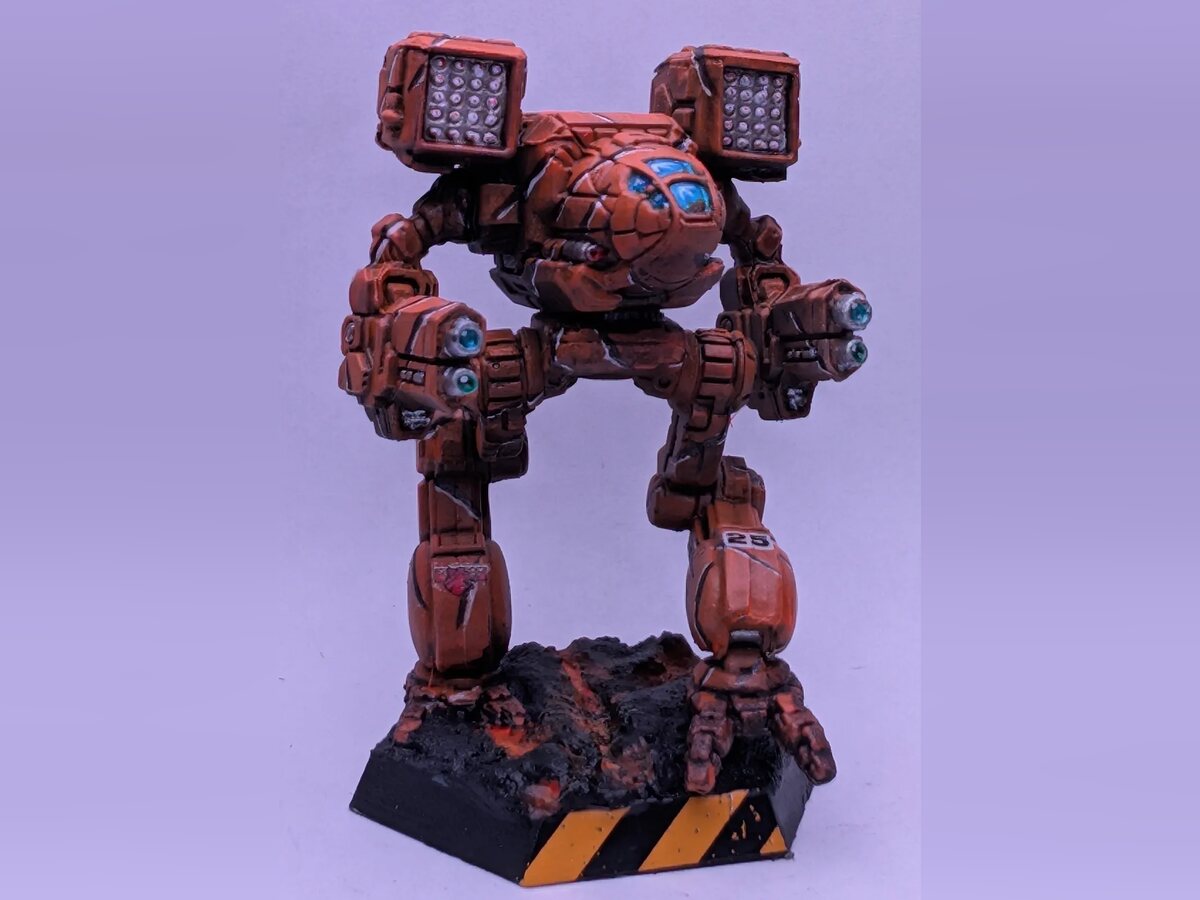
I’ve loved the Mechwarrior/Battletech universe since the moment I saw the cover art for Mechwarrior II around 1995. I had played the shareware game Megatron VGA a bit prior, and had no idea that the ‘Mechs used in that were 100% ripped out of the Battletech universe (illegally, mind you). When I discovered the gameplay experience of MW2, I was instantly hooked. Soon after I was introduced to Battletech: A Game of Armored Combat, and my journey to collecting, painting, and playing Battletech truly began. But… I was just a kid. I didn’t have the money to buy dozens of $15 (roughly $30 by today’s dollar) metal miniatures. I slowly scraped together enough for two or three, and applied a paint job only a naive teen would be proud of.
Then I moved away, and I didn’t encounter anyone that had even heard of Battletech for literal decades. I didn’t think I’d ever get to play tabletop again, until 2019, when I heard about a Kickstarter for Battletech. A whole resurgence of my childhood fandom was happening, and I had nearly missed it. Maybe now that meant there were other people who actually wanted to play this game! Fast forward to today, and I now have over 350 ‘Mechs, of which I’ve painstakingly painted over 110 to a quality I couldn’t have dreamt I would be capable of when I was a teenager (like the tiger-striped Timber Wolf at the top of this post).
Organization and inspiration
With a collection of any meaningful size, it’s basically a necessity to have some way to track what you own and other key details about your collection (or at least that’s what I think). I reached out for the de facto tool: a spreadsheet. As a techie, you can imagine mine is not just a static list of things, it’s got lookups, references, data sources… all kinds of complexity to help me scratch my collector’s itch. Maintaining that spreadsheet is a real chore though, and it has some real limitations, like my inability to bridge photos I’ve taken with my inventory. There has to be a better way, right?
The puzzle pieces of inspiration began accumulating over the last year, as I scrolled r/battletech, seeing the work of so many collectors and artists on display, wishing there were a way to search through them meaningfully to counter the ephemeral nature of the Reddit feed before they’re lost to time. Trying to remember who the artist was on that one Horned Owl with the incredible canopy work when you didn’t save it is not a job a search engine, or even an AI can solve. It’s just lost, which is such a shame in my eyes.
There are a couple of well-established sites for paint schemes online. Camo Specs is exclusive to professional, canon schemes, and often ancient sculpts. It can feel a bit alienating to beginners trying to draw inspiration when they compare their work to such masterpieces, and the odds a paint scheme you are thinking of is on the sculpt you want to put it on are pretty low. Unit Color Compendium is a lot less rigid, but their paint schemes are all digital on a few avatar ‘Mechs. Nothing to show what it looks like on plastic, or if it’s even achievable at that scale. It left me wishing there was some place where I could draw inspiration from “How have other people done canopies on a Longbow?”, and maybe even “What color canopies go well on green paint schemes?”.
The real trigger for me to start was when my local gaming group put together a combined spreadsheet of “painted inventory” so that we could coordinate having painted OpFor ‘Mechs at our campaign days. Everyone that participated had to figure out a way to convert their tracking method into a new spreadsheet that didn’t align with what anyone already had. The end result was useful, but had limits. What if my “white” paint scheme and Rob’s “white” paint scheme look completely different? When we show up on campaign day they might not look cohesive, defeating the whole point. We need to be able to see the paint jobs in that inventory, but that’s just not a spreadsheet thing.
I decided I could solve that at least for me, hopefully my group, and just maybe for other fans of the franchise.
Dual purpose: Build an app, learn about LLMs
Getting started on this project was also motivated by a desire to learn how to run an LLM locally, and prove whether I could make a local LLM useful for coding. I know what AI engines like Claude or Copilot can do from work, but I’m also hesitant to spend money on things I’m confident I can do myself. I decided I’d take this as a dual challenge: Learn how to operate a local LLM on a spare 3080 I had on hand, and as a bonus I’d knock out this “weekend project” of a spreadsheet replacement.
After a lot of research, trial, and error, I was able to get Qwen 2.5 operational on my Talos/Omni Kubernetes cluster using llmkube. Getting my IDE (VSCode) to play nicely was its own challenge, but eventually I was able to get things cobbled together into a functional state. Functional, but juvenile. Qwen 2.5 was about as helpful as an obstinate five-year-old. Fixating on the wrong details, missing the bigger picture, and sometimes spiraling into literal gibberish. I decided that if this was the model I was going to use, I’d need to give it some really rigid guidelines and small pieces to tackle.
So I tried out GSD after hearing about a co-worker’s success with it. Unsurprisingly, Qwen 2.5 was not up to the job. I upgraded to Qwen 3, which seemed an improvement, but it still didn’t have a big enough context window to properly run GSD. Even on my desktop’s 5080, I couldn’t get useful output from it. GSD is designed to burn through hundreds of thousands of tokens (and dollars?), and it just doesn’t play nicely with 10-16GiB of VRAM.
Caving in and trying subscription-based LLMs
Weeks had turned to months of what little spare time I had carved out for this, and while I felt I had a much better grasp of LLMs and how to run them, I had nothing real to show for it. I finally caved, wanting to make forward progress on the inventory app, and shelled out $10 to GitHub for Copilot. The difference was instantaneous, and I started making serious progress on the project that same day. I spent that weekend coding furiously, volleying back-and-forth with Copilot on the design decisions, whipping its bad behavior into alignment with my expectations, and getting my first glimpse at an operational database of ‘Mech sculpts and inventory tracking.
Until late Sunday, when VSCode informed me I had burnt through all my credits for the month. I was dumbfounded. I used Copilot at work all the time, maybe not as intensely in a single session, but… I had never really struggled with reaching the “finish line” of tokens for the month. Luckily, the “month” rolled over a few days later, and I was able to continue working on it in my spare evening hours. Until I hit the limit again… before I even made it to the next weekend. There was no way I was going to be able to build this app in a reasonable time at the rate of two days a month, and there was equally no chance I was going to shell out for “pay-as-you-go” tokens with GitHub. If I could burn through $10 in two days, I shudder to think of how much it’d cost at “market rates”. So I gave it a rest for the month to figure out my next steps.
Around July of 2026, I decided to give Claude a chance. Would I get four days for my $20? Their rate limiting seemed at a minimum more reasonable to work with than Copilot’s. Once I switched over I found that with no changes to how I was working, I was rarely triggering throttling, and usually if I was, it was for a single session that would reset the next day. Within a few weeks I was able to move from “it’s a database with an admin panel” to “this kinda looks like it might be usable for real people”. The shape of the app was dramatically more complicated than the naive “weekend project” I set out to tackle when I started, but it was truly shaping up to be everything I could have dreamt of for pairing inventory tracking with portfolio display of painted miniatures, and I was getting excited and nervous about actually showing it off.
Gantry
It’s been a passion project that’s taken the better part of the year to build, but it’s finally live.
I call it Gantry, aiming to capture the place where you’d paint and potentially store ‘Mechs before sending them out in the field.
It tracks the individual models you own against a shared catalog of ‘Mech sculpts, lets you track painting sessions, tag meaningful terms like colors or unit names, and gives you a structured starting place for taking photos by providing five perspective slots. You can use it for yourself as an inventory tool, and never share a single detail, or you can share your collections with the world (or a few people) to have a public portfolio of your work.
It’s invite-only for now, with no comments, so it stays a gallery and not another place to argue (Reddit is still a place for conversation). Logins are managed through Google or Discord OAuth, so I don’t have to deal with authentication management risks, and every photo is re-encoded on upload, which strips location and other metadata you might not know your phone added.
My hope is that the Battletech community embraces Gantry, and we all benefit from being able to share and draw inspiration from each other’s work. So when you’re trying to figure out “What should I paint next?”, you can draw inspiration from others who have painted that same mini, find some new color schemes, or discover new techniques, and take comfort in knowing that not every paint job is going to be up to Camo Specs standards, but is still worth sharing.
What’s next
For now, Gantry’s userbase consists of: me. If that’s all it ever amounts to, it’s still a win in my mind. It’s replaced my old spreadsheet, it has been a great education in how social platforms are run, and I’m proud to have built out my own personal SaaS. Next up is opening invites more widely, starting with my local gaming group, so we can finally answer “what’s painted and ready for the campaign?” without a spreadsheet. If you’d like to try it out, DM me on Reddit for an invite.
And as for the LLM side, I came out of this feeling genuinely knowledgeable, having tried out dozens of models and quantizations while dealing with the complexities of operating models on llmkube, Unsloth, vLLM, and llama.cpp. I also now have a much clearer picture of the gap between what consumer hardware can do and what LLMs as a service can do today, and the strengths and limitations on both ends of that equation.